
Choosing the Right Screenwriting Software for Your Workflow

With new platforms and frameworks emerging every month, it’s easy to get caught up in the tools. But great digital work doesn’t start in a software window Choosing the Right Screenwriting Software for Your Workflow
Writing a screenplay is difficult enough without fighting your word processor every time you try to format a parenthetical or a character cue. In the early days of cinema, writers wrestled with typewriters, manually setting tabs and counting lines to make sure a 120-page script hit the standard industry benchmarks. Today, automated formatting is the baseline feature expected from any dedicated tool. Screenplay software apps handle page breaks, element transitions, and margin placement instantly as you type. If you have ever tried to write a feature film in Microsoft Word, you know how quickly manual spacing falls apart during a rewrite. Modern writing tools ensure that action lines, character names, and dialogue automatically align to industry conventions.
When you start shopping for a digital writing suite, brand reputation alone should not dictate your choice. Instead, look at how you actually work. Some writers prefer a minimalist distraction-free environment, while others need a massive suite that handles outlining, beat boards, and production breakdowns. Choosing the right tool depends heavily on your specific needs regarding collaboration, offline access, and budget. Let us break down the top tools on the market and examine how they fit into different writing styles.
Final Draft has dominated the professional film and television conversation for decades. According to industry records, it remains a standard requirement in many writers rooms and studio offices. The platform emphasizes comprehensive outlining, beat boards, revision tracking, tagging, and collaboration. If you work on major studio assignments, producers and script coordinators often expect files delivered in the native format. You can learn more about its feature set by visiting the Final Draft features page. However, some independent writers find the price tag difficult to justify when free or lower-cost alternatives exist.
If you lean toward open formats and prefer text files that you can edit anywhere, Fountain syntax offers a compelling alternative. Fountain is a plain-text markup language that lets writers create screenplay-formatted text in ordinary text editors. You can read more about how the syntax works on the Fountain syntax guide. Once written in plain text, you can convert your file into traditional screenwriting software or print layouts. This approach gives you absolute ownership of your files without locking your work behind proprietary software walls or monthly subscriptions.
Collaboration has shifted from a luxury feature to a core requirement for many writing duos and television teams. WriterDuet was built from the ground up for simultaneous online writing. It includes built-in text, voice, and video chat, making it easy to co-write with a partner who lives across the country. When you are ready to share your work, the platform supports multiple export options. If you need to hand off your file, you can check the specific guidelines detailed on the WriterDuet export guide. The application warns that exporting to certain formats like Word may alter visual spacing, so keeping a clean PDF backup is always recommended for final reads.
For writers who want robust features without a steep learning curve or expensive subscription models, Fade In is a popular desktop choice. It offers powerful options for managing rewrites and page locks. To understand how it stacks up against competitors, you can review the Fade In software features. It supports older files, Fountain markup, and standard formats, giving you strong interoperability if you bounce between different software ecosystems.
Production-focused workflows often require a script editor alongside production planning tools. Celtx combines screenplay writing with beat sheets, storyboards, schedule breakdowns, and shot lists. You can review the tool integration in the Celtx script editor documentation. For indie filmmakers managing multiple roles, linking the script directly to production boards reduces pre-production time. You can explore their main offerings directly on the Celtx website.
Evaluating desktop versus cloud-based tools requires looking at your internet habits and security preferences. Cloud-centric platforms let you jump from a laptop to a tablet or phone without missing a beat, updating your text in real time. Yet, if you write on flights, in remote cabins, or simply prefer keeping your intellectual property stored locally on your hard drive, an offline-first desktop application is safer. Many hybrid tools now offer local caching alongside cloud backup, but you should always verify what happens to your files if your subscription lapses or your internet drops out.
Revision management is another critical factor for mid-to-late-stage projects. When a director or producer requests a page lock, your software needs to track omitted scenes, colored revision pages, and exact dialogue changes without breaking the pagination. Industry standards dictate that a script should remain as close to 120 pages as possible for a standard feature, and shifting dialogue by even one line can cascade through the entire document. Advanced applications handle these production passes automatically, whereas basic text editors will leave you manually checking line counts and scene headers.
Cost structures vary wildly across the industry. You can find free open-source tools, one-time purchase software that you own indefinitely, and recurring monthly subscriptions that drain your wallet over time. When budgeting for your project, calculate the total cost of ownership over a three-year window. A subscription that seems cheap month-to-month might ultimately cost more than a traditional desktop license, while free tools might lack essential export features or customer support when a file corrupts.
Key Takeaways
Automatic formatting is a baseline requirement; never waste time manual-spacing dialogue or action lines.
Match your software choice to your collaboration style, whether that means real-time co-writing or solo desktop focus.
Production software like Celtx helps filmmakers connect script elements directly to shot lists and storyboards.
Plain text options like Fountain give you permanent file ownership without proprietary lock-in.
Always keep a verified PDF backup when sharing your script to preserve exact visual fidelity across different devices.
What is the best screenwriting software for beginners?
Beginners often benefit from starting with free tools or lower-cost applications that do not overwhelm them with production budgeting or advanced scheduling features. Focusing purely on the text editor lets you learn screenwriting structure without getting bogged down by complicated project management menus.
Do I need Final Draft to sell a script?
No studio or producer requires you to write your first draft in a specific brand of software, as long as the exported file follows professional formatting rules and is delivered as a clean PDF or standard file type. However, many production offices use Final Draft natively for script coordination and revision passes once a project goes into active development.
How does real-time collaboration work in screenwriting apps?

Cloud-based writing suites allow two or more users to open the same project simultaneously. Changes made by one writer appear on the other screen instantly. Some platforms also integrate voice and video chat directly into the interface so you can talk through scene beats while typing.
Can I import my script from Microsoft Word into a screenwriting program?
Most professional screenwriting applications allow you to import text documents, though you will likely need to re-apply element tags to paragraphs so the software recognizes what is a character name, what is parenthetical, and what is dialogue. It is almost always easier to write inside a dedicated screenwriting tool from page one.
Why is PDF the preferred format for sharing screenplays?
PDF files lock the layout in place, ensuring that page numbers, margins, and line breaks appear identically on every computer or mobile device. If you send an editable text or word processing file, font substitutions and operating system differences can throw off your page count entirely.
What happens to my script if I cancel a subscription?
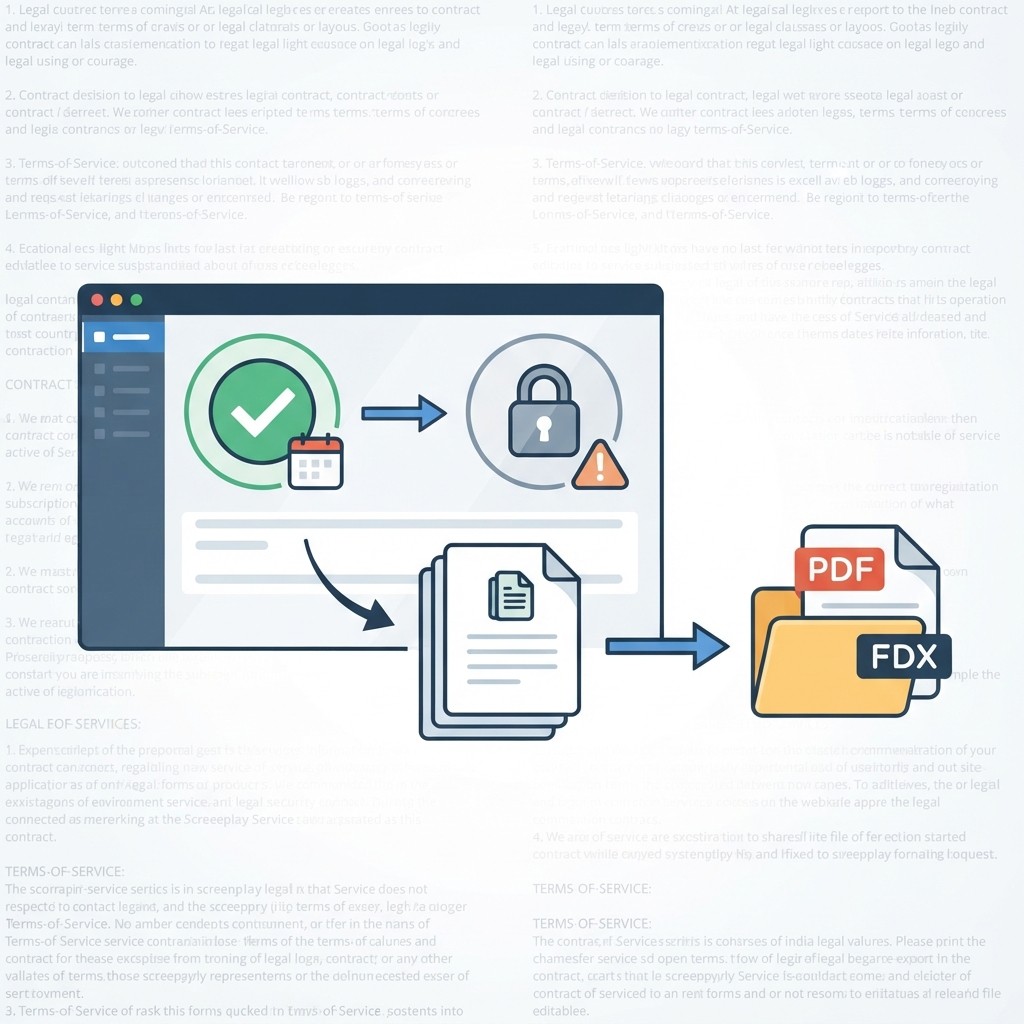
Depending on the platform, cloud-based applications may restrict your ability to edit files once a subscription lapses, though you can usually still export your work into open formats. Always check the vendor terms of service regarding data access before committing to a recurring payment model.
Making Your Final Decision
Selecting the ideal software ultimately comes down to balancing your creative habits with your practical requirements. If you are collaborating daily with a writing partner across the globe, a cloud-first platform with built-in communication tools will eliminate friction. If you work primarily offline, prioritize an application that stores local files securely on your hard drive without forcing you to maintain a continuous internet connection.
Take advantage of free trials, open-source downloads, or trial periods before committing your hard-earned money to an expensive license. Write a short ten-page sample scene in each program you test. Pay attention to how quickly the software handles formatting shortcuts, how easy it is to navigate your outline, and whether the export functions produce clean, professional documents. By testing the tools against your actual workflow rather than relying on marketing claims, you will find a writing partner that supports your creative process from fade in to fade out.
Frequently Asked Questions
How do I know if my script is formatted correctly?
Most dedicated screenwriting programs automatically enforce standard margins, character name placements, and dialogue indentations as you type. As long as you use the application's built-in element selectors rather than manual spaces or tabs, your script will adhere to standard industry layout expectations.
Is it possible to switch software mid-project if I change my mind?
Yes. Most modern writing tools support interoperability formats such as standard text files, Fountain markup, or .fdx files. However, you should always export and test a backup copy before abandoning your previous application to ensure that complex scene numbers, revisions, or notes transfer cleanly without formatting errors.
As your writing career progresses, your software needs may shift. A writer transitioning from early spec scripts to active production or writers' rooms will inevitably face new demands regarding revision tracking, script coordination, and multi-user access. By prioritizing your personal writing habits—whether that means offline focus, seamless co-writing, or integrated production planning—you ensure that your software acts as a creative catalyst rather than a bureaucratic hurdle. Take the time to test your options, protect your intellectual property with reliable backups, and choose the platform that empowers you to put the best possible words on the page.— it starts with a clear process. At Interlinea, we believe the how is more important than the what.
1. Platforms change, principles stay
Figma, Framer, Webflow, React — tools evolve. The foundation of good design stays the same: clarity, intention, empathy. A solid process can adapt to any tool. A random tool can’t replace process.
2. Clients need trust, not jargon
Clients care less about tech stacks and more about outcomes. A clear process builds confidence, creates alignment, and shows you’ve done this before. It reduces risk and uncertainty.
3. Process helps teams collaborate
Designers, developers, and strategists speak different languages. A shared process brings unity. It sets expectations, organizes timelines, and makes handoffs smoother.
4. Better work, less guesswork
When each phase of a project has purpose — discovery, design, review, delivery — the team stays focused. The result? Better decisions, less revision, and stronger results.
Conclusion
Platforms are tools. Process is strategy. You can change the tool tomorrow. But if your process works, you’ll deliver meaningful results — again and again.